Setting Up Conversion Tracking
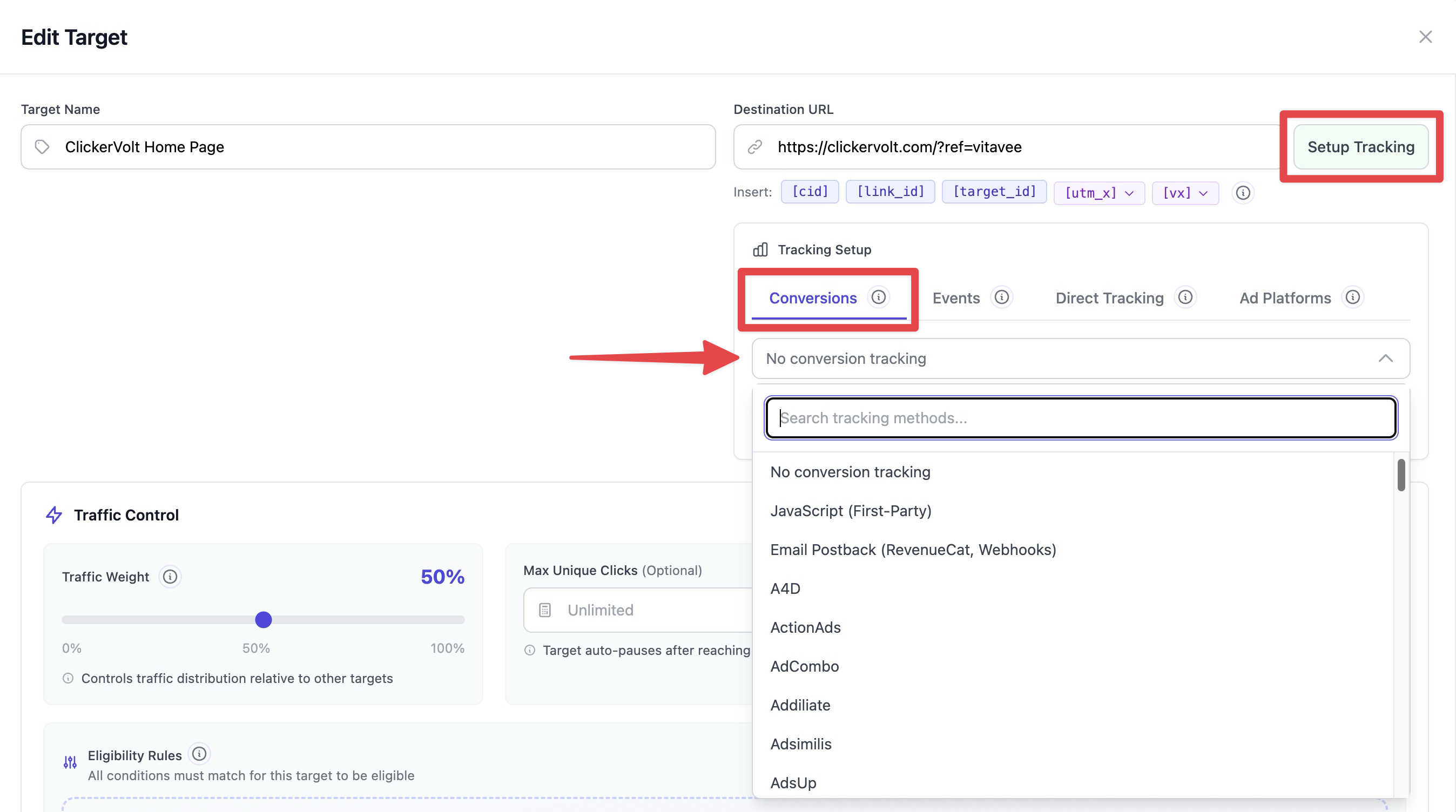
ClickerVolt offers multiple methods to track conversions, allowing you to measure the success of your campaigns and optimize accordingly. Choose the tracking method that best fits your setup.
Available Tracking Methods
No Tracking (Direct Traffic Only)
Use this when you only need click tracking without conversion tracking. All clicks are counted, but no conversions will be recorded. Suitable for simple link shortening or preliminary testing.
JavaScript First-Party Tracking
The easiest method for product vendors and merchants to track conversions on pages they control. Install a small JavaScript snippet on your thank-you or confirmation page. While convenient, server-to-server methods (S2S postback or IPN) are more accurate as they don't rely on browser-side execution.
Affiliate Network Integration
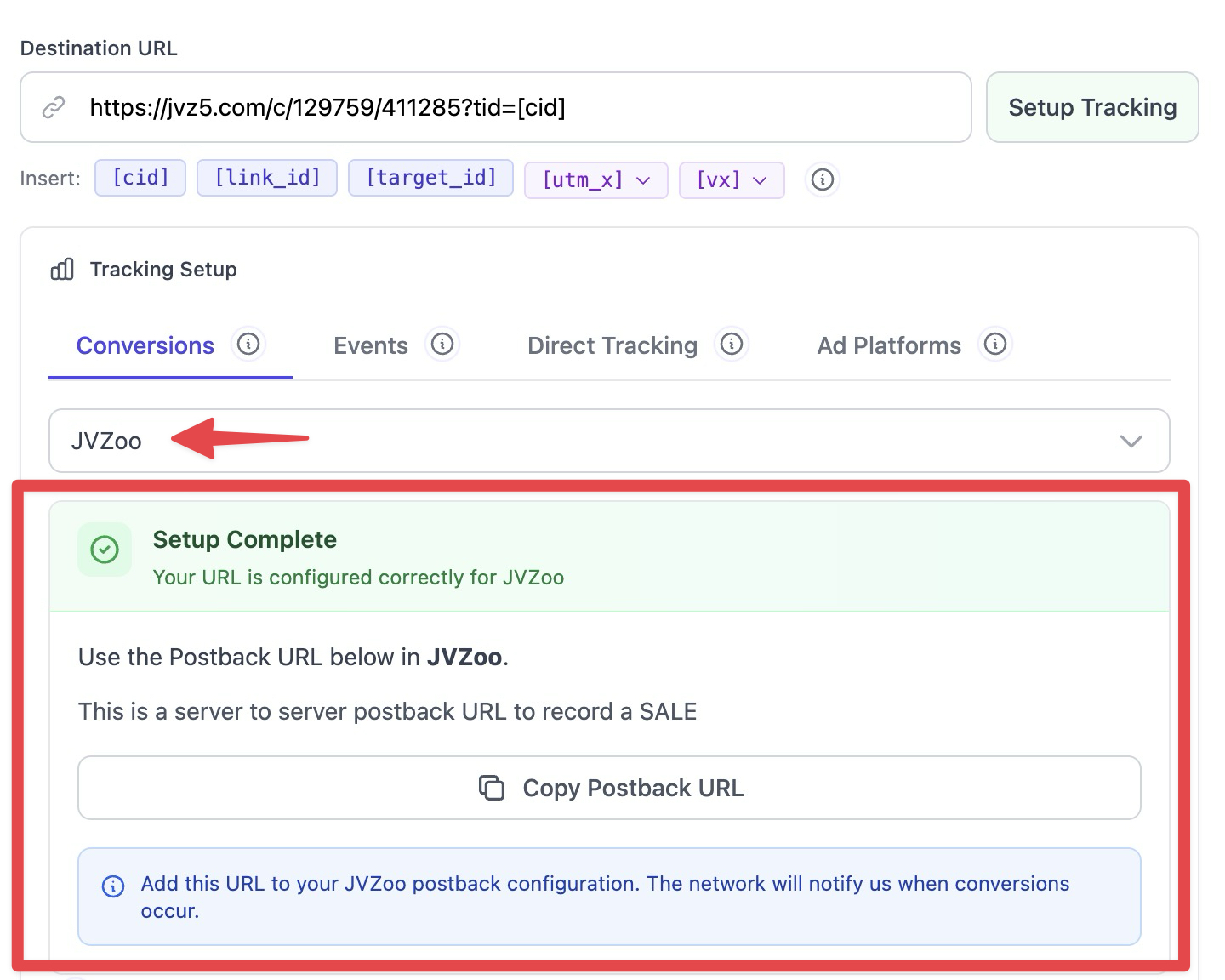
For affiliate marketers, ClickerVolt integrates with 60+ affiliate networks through server-to-server (S2S) postback URLs. Special IPN support is available for ClickBank, JVZoo, WarriorPlus, and Explodely. These methods provide the most accurate conversion tracking as they don't depend on visitor browsers.
Choosing the Right Method
Use JavaScript Tracking When:
- You control the thank-you/confirmation page
- You need to track multiple conversion events
- You're running campaigns on any traffic source
Use Affiliate Network Integration When:
- You're promoting affiliate products
- The network supports IPN webhooks or Postback URLs
- You want automatic commission tracking
- You don't have access to the thank-you page
Setup Process
Step 1: Access Tracking Settings
- Open your link in the editor
- Add or edit a target you want to track conversions for
- Click the "Setup Tracking" button next to the target URL field
- Select your preferred tracking method from the Conversions tab
Step 2: Configure Your Method
Follow the specific instructions for your chosen method. Each method has unique configuration requirements and setup steps.
Step 3: Test Your Setup
If you own the offer or control the thank you page, then always test conversions before launching your campaign. Click your tracking link, complete the conversion action, and verify the conversion appears in your statistics within a few seconds.
Important Considerations
First-Party vs Third-Party Tracking
JavaScript tracking is first-party (runs on your domain), making it more reliable and privacy-friendly. Affiliate network tracking is third-party (depends on network IPNs), which can have delays but requires no code installation.
Multiple Tracking Methods
Multiple tracking methods can work simultaneously on the same target. For example, you can use JavaScript conversion tracking and S2S postback at the same time. Each method that successfully reports a conversion will be recorded.
Advanced Topics
Conversion Attribution Windows
ClickerVolt attributes conversions to clicks based on visitor identity. There is no time limit - conversions are matched to the visitor's most recent click on your tracking link, even if days or weeks have passed.
Conversion Tracking and Progressive Exposure
When using the Progressive Exposure algorithm, conversions trigger early advancement to the next target. This allows visitors who convert to immediately see the next offer in your sequence, rather than waiting for the time period to elapse. Other algorithms (Sequential, Sequential Unique, Weighted Random, Only Uniques) do not advance based on conversions.